Keep Your Transaction Documents Neatly Grouped—Automatically
👉👉 Please alert your team of this new feature for the smoothest transition.
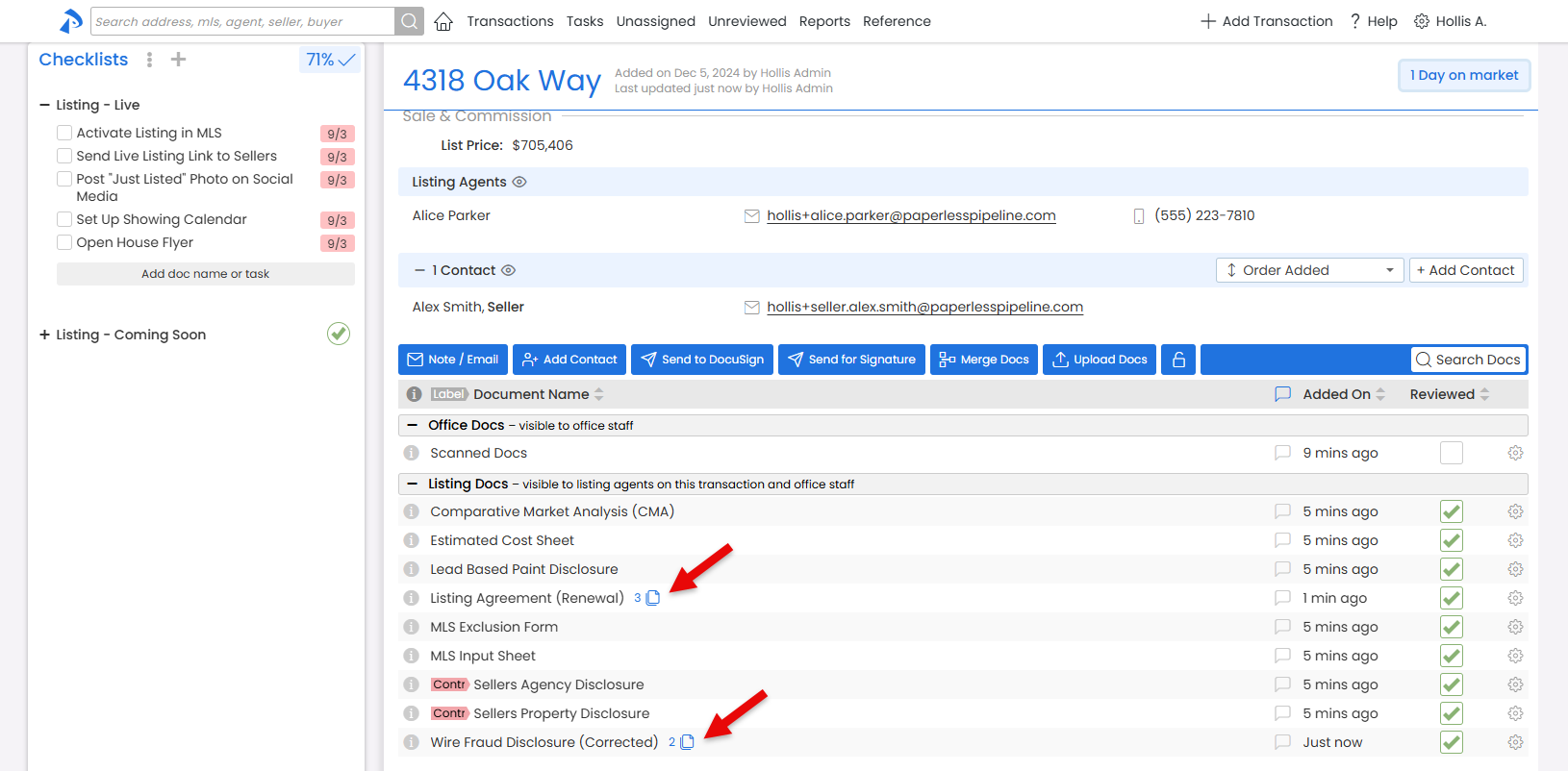
Pipeline’s new Automatic Document Name Grouping helps your transaction doc lists stay clean and easy to navigate. Documents with the same base name are now collapsed into a single, tidy group, showing only the most recent or designated version of the doc by default.
Here’s how it works. Docs that share the same base name (the text before any parentheses) will be grouped. The most recent (or designated) doc will be displayed by default, while the rest will be collapsed behind it, accessible with just a click, if ever needed.
No setup needed. Most offices' normal naming convention will already take advantage of the grouping naturally.
If your office prefers that your similarly named docs not be grouped, no sweat! Just turn the Group documents by name feature off under Company Settings.
Learn more about Automatic Doc Name Grouping here →
NEW Message Template Library: Ready-to-Use Messages in Seconds
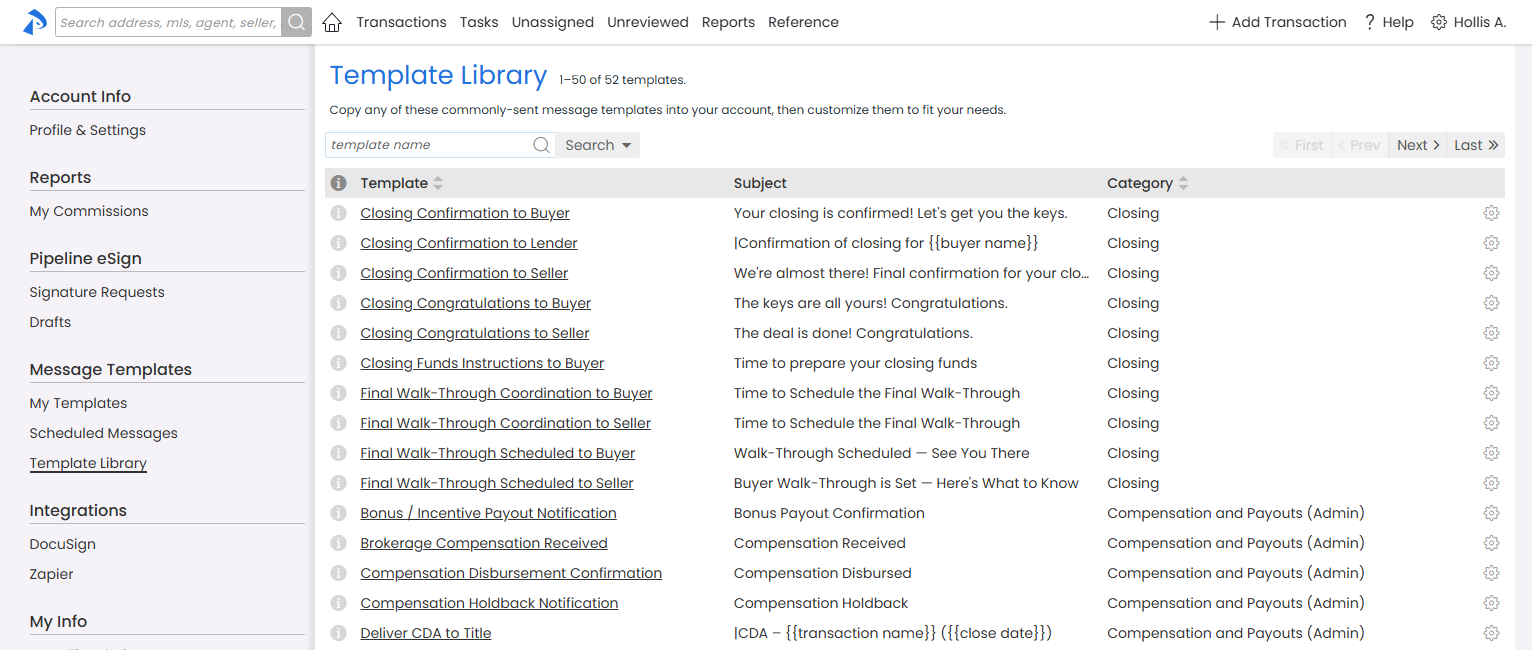
Pipeline’s Message Templates let you draft messages instantly. The new Message Template Library makes it easy to expand your collection of templates. Find, copy, and customize a wide variety of professional, ready-made templates for every step of your workflow, including client updates, helpful reminders, and more.
Highlights:
- Browse and copy prebuilt templates
- Easily customize templates for your needs
- Admin-only templates are hidden from agents
- No setup required—access from the My Info | Template Library
- Share copied templates with your team, like normal
👉 Browse the Message Template Library today to see if any are right for your team.
Find Assignment Details Fast
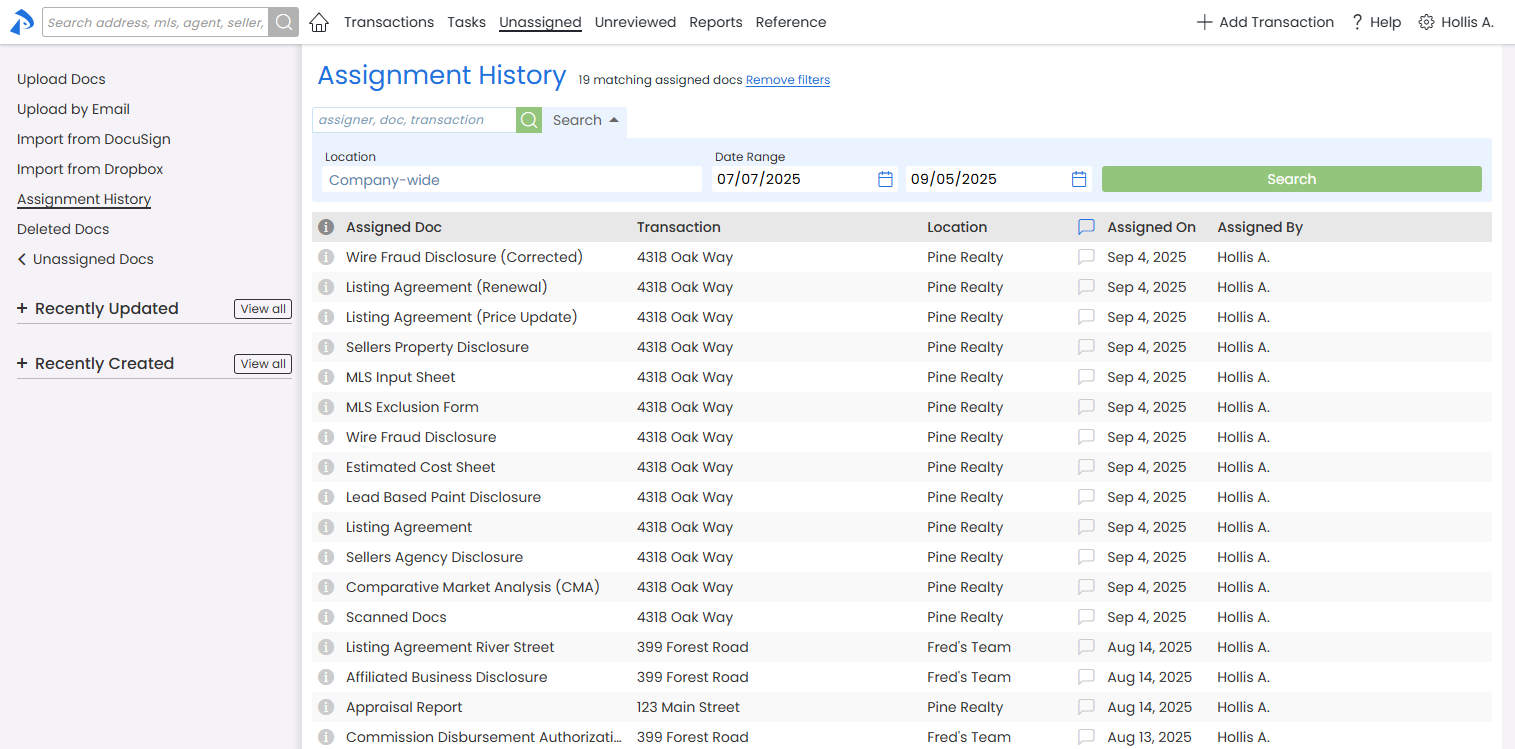
You can now search all key fields in Assignment History to quickly find the exact details you need.
This makes Assignment History the perfect tool for tracking what happened to an uploaded document, who took action, and when.
Minor Navigation Updates: Find What You Need, Faster
You might notice a few small changes to Pipeline’s navigation. We’ve moved a few items to more intuitive locations to help you find what you need, faster. If you’re missing something, glance around—it should be close by.
Pipeline eSign
Track and Manage Your Team’s eSign Drafts
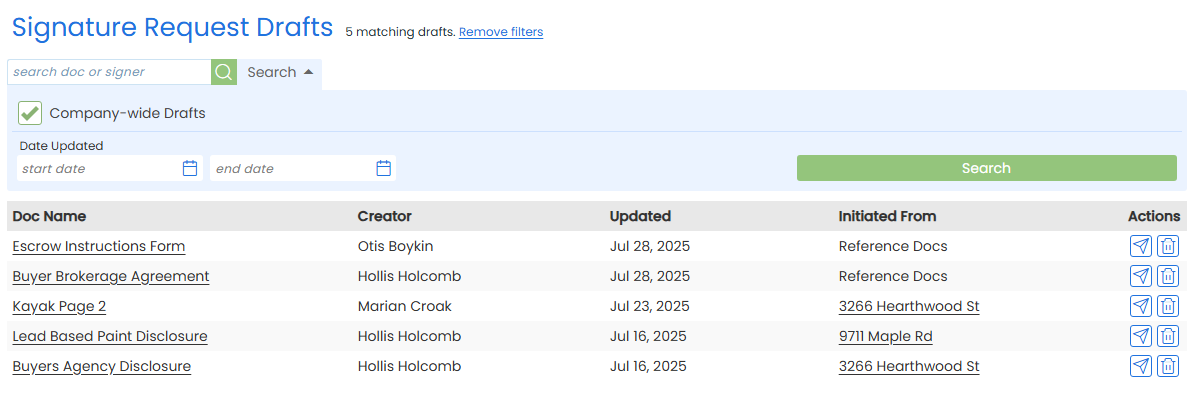
Drafts of eSign signature requests make it easy to save signature requests mid-preparation or set them aside for review. Now, admins can view eSign drafts for transactions in the locations they manage—access previously limited to Master Admins.
This new access lets admins review signature requests before they’re sent, and easily track or support eSign draft activity across their team.
From their Drafts page, Admins can still manage their own drafts, or click [Company-wide] to view all eSign drafts in their location.
Learn more about Managing Company-Wide eSign Drafts here →