Rename Docs in Seconds, No Menu Needed
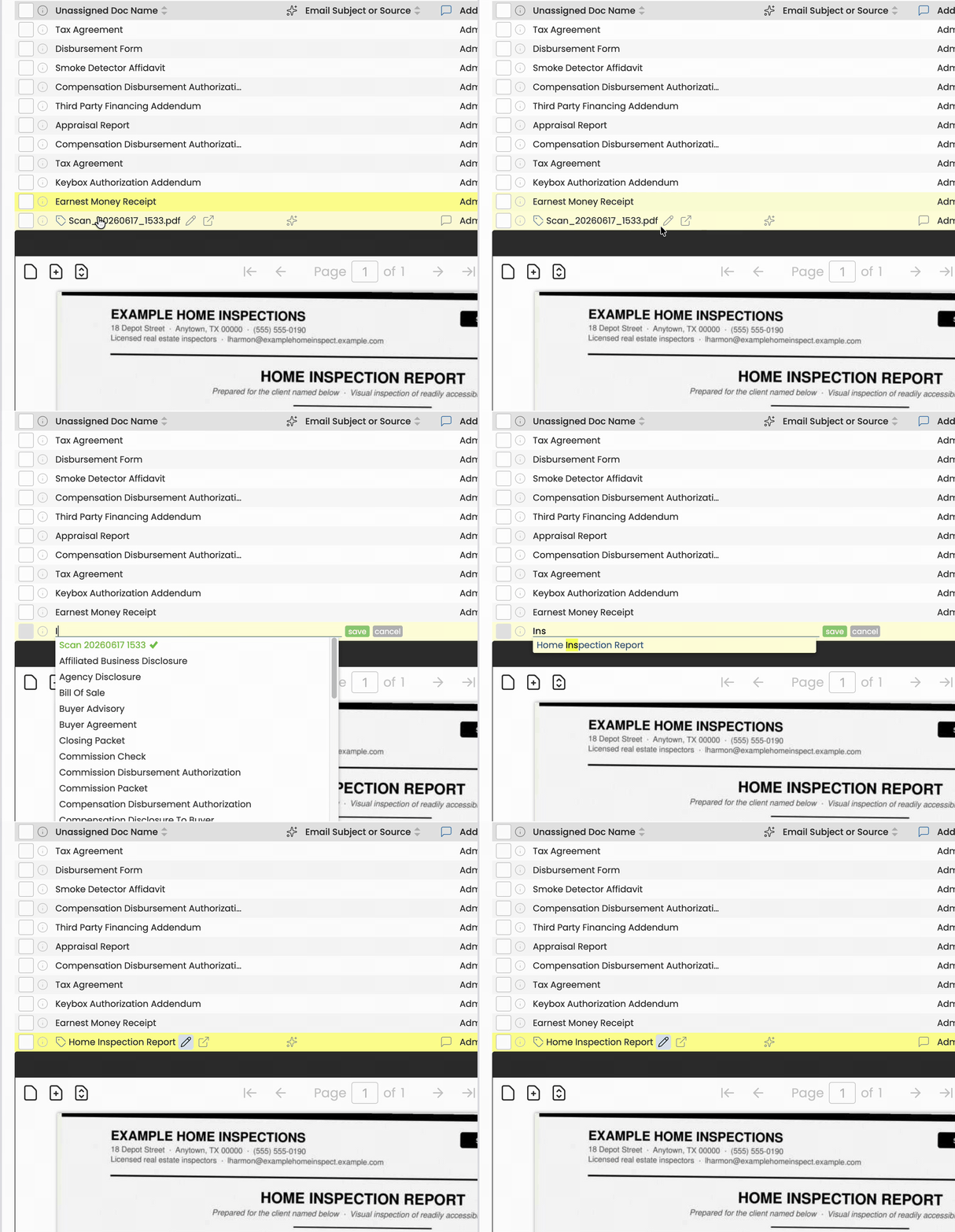
You can now rename any doc right where it sits, on a transaction or in Unassigned Docs, with no trip to the gear menu. Name a doc before it's assigned, and the name comes with it when you assign it. Your Standardized Doc Names come up as you type.
Here's how to rename a doc:
- Hover over the doc on a transaction or in Unassigned Docs.
- Click the pencil.
- Type the new name, or pick one of your Standard Doc Names.
- Click [Save], or press Enter on your keyboard to save faster.
The doc shows its new name right away.
See Standardized Document Names.
Standard Doc Names, Suggested for You
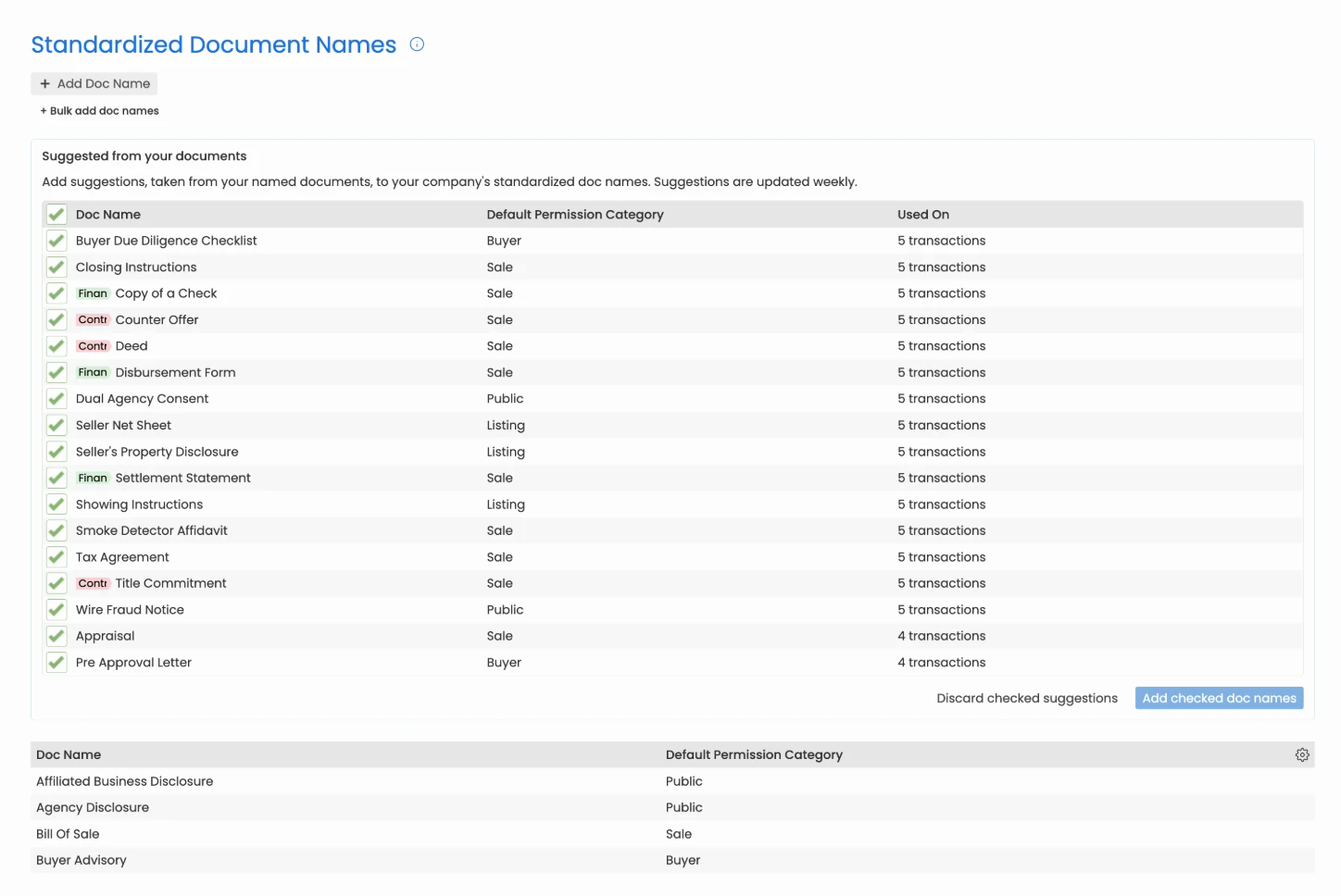
You can now set up Standard Doc Names in one click. Pipeline looks through the docs your team has already named on transactions and suggests the names they keep coming back to. Each suggestion shows the Permission Category and label your team gives that doc and how many transactions it's on, so you can see which names are already habits in your office.
Once your list is set, agents pick from your office's names as they type instead of making up their own. Pipeline handles the filing from there, and each doc lands in the right category with the right label.
Here's how to add suggested doc names:
- Click the [Gear] in the upper-right corner, then Admin / Settings.
- Select [Document Names] from the Customize section of the left menu.
- Under Suggested from your documents, uncheck any name you don't want.
- Click [Add checked doc names].
The names you checked join your Standard Doc Names. New suggestions are added every week, so check back to add more.
No suggestions yet? Pipeline suggests a name once your team has used it the same way on three docs.
See Standardized Document Names.
Fewer Signature Images Cluttering Unassigned Docs
You'll now see far fewer signature images in Unassigned Docs. Pipeline checks each image that arrives by Maildrop and drops the ones that look like junk. When it isn't sure, it lets the image through. Pipeline remembers any stray image you delete and skips it from then on.
See Stop Signature Images and Junk From Landing in Your Queue.
